
Make your Adobe PDF digitally in minutes
Do you want to make an internet version of your printed press release? The simple Publizr page turning program offers you the opportunity to convert your Adobe PDF instantly.
Learn more >
Do you want to present your press releases in an eye-catching way on your site or Facebook page? Even if you have good-looking press releases you will not spark your clients if you present a static PDF version on your site or Facebook page. A Adobe PDF also has to be downloaded in full before it opens!
Publizr offers the most easy to use page turning program to turn your Adobe PDF into an eye-catching flipbook press release that opens immediately. In no time you can make an online flipbook and spark your clients with an interactive experience with the smoothest-turning pages and functionality not available in your printed version. For example, hyperlinks and internal links, including links to your online store. By presenting a responsive online version of your press release on your site or Facebook page, your flipbook press release is always available for your clients, viewable on desktops and mobile devices. Online press release publishing made easy! You can even publish Adobe PDFs for FREE!
Do you want to make an internet version of your printed press release? The simple Publizr page turning program offers you the opportunity to convert your Adobe PDF instantly.
Learn more >
Turn your PDF into an eye-catching flipbook press release by adding URL and page links, such as links to your web store and YouTube videos. No technical skills required, done within minutes!
Learn more >
Publizr offers the highest available quality out there with outstanding display quality. Your clients will love to share your flipbooks via Facebook and Twitter.
Learn more >
Vector based qualityWith Publizr you offer your clients an unrivalled brand experience. Even on the biggest monitors, text and illustrations appear razor sharp. 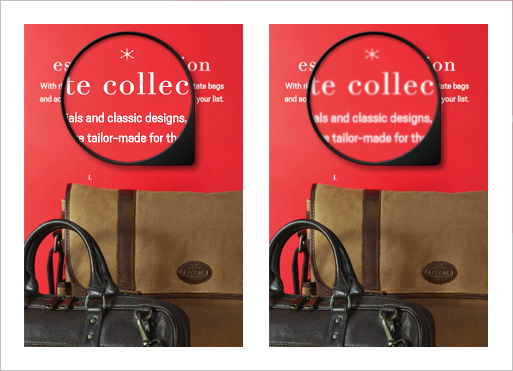
|
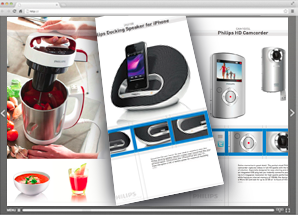
Multi-page flip effect
|
Modern menuThe modern menu within the publication not only is an eye-catcher, but also eliminates distracting icons so that your flipbook gets full attention. 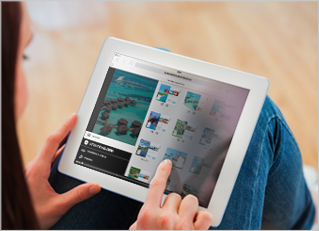
|
Convert PDF in a snapJust upload your Adobe PDF. Your flipbook press release will be ready in minutes. All hyperlinks and email addresses are automatically made clickable! 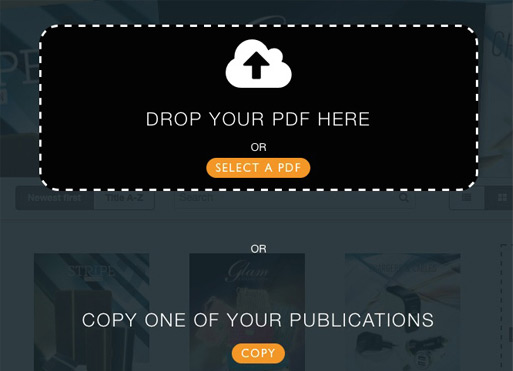
|
Easily add linksEasily add URL and page links with the simple Drag & Drop Editor. Link frames snap to the edges of other frames for quick positioning. 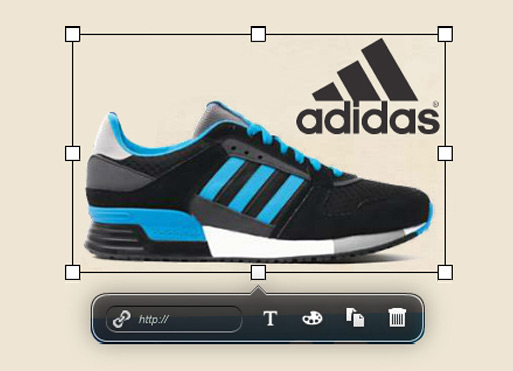
|
Mobile and desktopsYour flipbook press releases can be viewed multiplatform. You don't have to create expensive apps or your visitors having to download those. 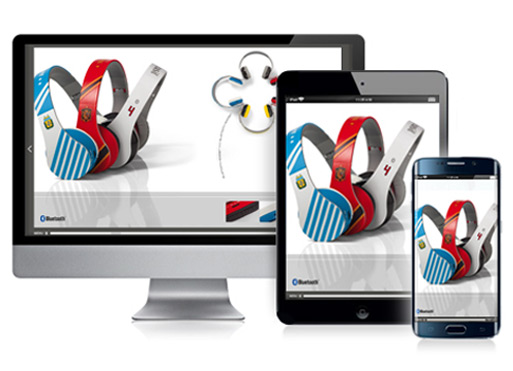
|
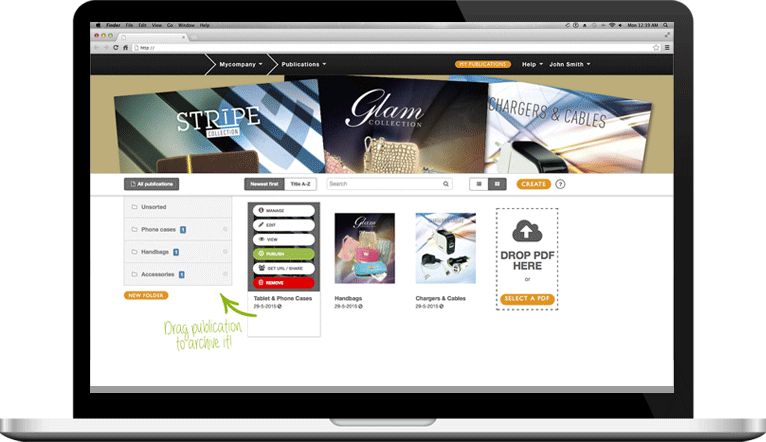
Publizr is trusted by many successful businesses. Our customers range from nationally recognized brands to local companies. They have one common goal: turn static Adobe PDFs into eye-catching flipbook press releases that open immediately and spark their customers. And because of that leading to higher sales results.
With the easy to use Publizr Adobe PDF page turning program all types of online publications can be made: interactive digital magazines, ecatalogs, online pamphlets and flyers, digital brochures, flipbooks, online books, newspapers, journals and more. See some examples and discover how easily you can make flipbook press releases with the easy to use page turning program!







With the easy to use Publizr Adobe PDF page turning program you can make as many flipbook press releases as you like. You can even publish flipbooks for free! You can use your online publications for an unlimited period without additional bandwith or web host fees being charged. We use the best server networks so that your clients all over the globe can view your publications as fast as possible.
Self making flipbook press releases is easy! Create a free account without the need to enter your credit card details. Next, convert your Adobe PDFs and make as many flipbooks as you like and present them on your site or Facebook page. After your 14-day free trial period you can choose which premium or free plan is right for you.