
Create your Adobe PDF on the web in minutes
Convert your Adobe PDF into a digital page turning version without technical skills required. Your interactive online school magazines can be viewed on desktops and mobile devices instantly.
Learn more >
Do you want to add your school magazines in an exciting way on your Facebook page? Even if you have nice school magazines you will not excite your clientele if you add a flat PDF version on your Facebook page. A Adobe PDF also has to be downloaded in full before it opens!
Publizr offers the most user-friendly flipbook editor to convert your Adobe PDF into an exciting interactive online school magazine that opens immediately. In no time you can create a digital eBook and excite your clientele with an interactive experience with the smoothest-turning pages and functionality not available in your offline version. For example, hyperlinks and internal links, including links to your online store. By adding a responsive online version of your school magazine on your Facebook page, your interactive online school magazine is always available for your clientele, viewable on desktops and mobile devices. Online school magazine publishing made easy! You can even publish Adobe PDFs for FREE!
Convert your Adobe PDF into a digital page turning version without technical skills required. Your interactive online school magazines can be viewed on desktops and mobile devices instantly.
Learn more >
Turn visitors into customers. Add links to your web shop and YouTube videos in your interactive online school magazine with the user friendly Publizr digital publisher editor. Your sales will definitely increase!
Learn more >
Offer your clientele a superb brand experience. Publizr offers the best Adobe PDF flipbook editor to make sure that your interactive online school magazines will be shared frequently via Twitter and LinkedIn.
Learn more >
Outstanding qualityWith Publizr you offer your clientele an unrivalled brand experience. Even on the biggest monitors, text and illustrations appear razor sharp. 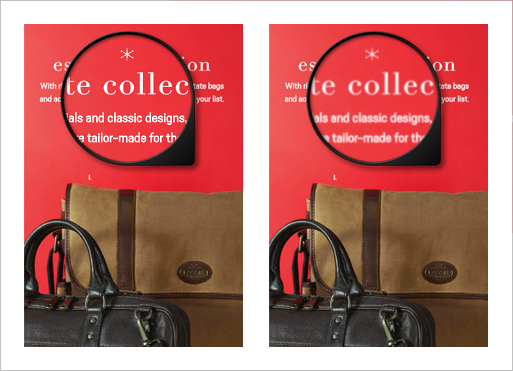
|
Multi-page flip effectYour clientele will enjoy the ultra smooth turning pages including the multi-page flip effect when various pages flip at the same time. 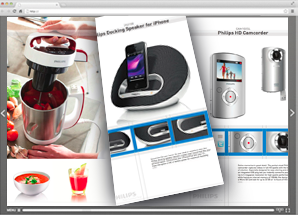
|
Excite your clienteleThe stylish menu not only guarantees a pleasant reading experience. Without distracting icons your interactive online school magazine stands out, too. 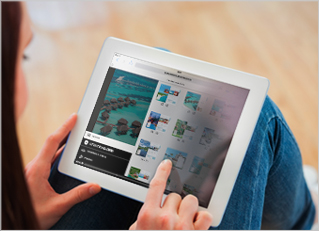
|
Upload PDF & GoIt only takes a few minutes to convert your Adobe PDF into a digital page turning school magazine. With all hyperlinks and email addresses made clickable for you! 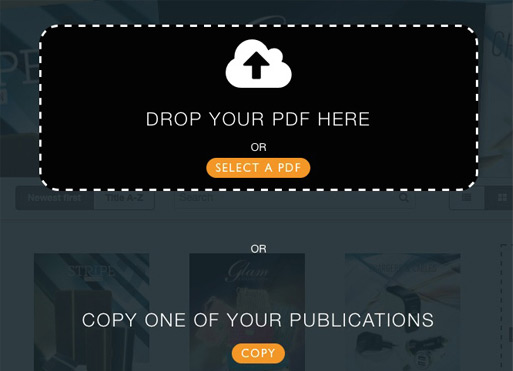
|
Link EditorAdding interactivity is easy! Just drag & drop URL and page link frames onto pages and align them with the snap feature. 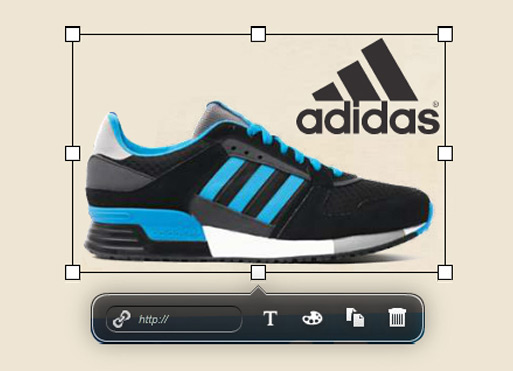
|
IOS and AndroidYour clientele can instantly view your eBooks on desktops and mobile devices in their browser without downloading apps. 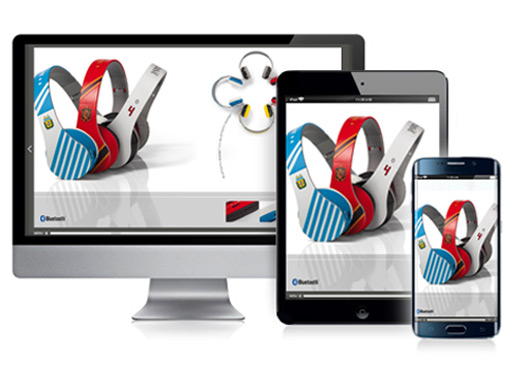
|
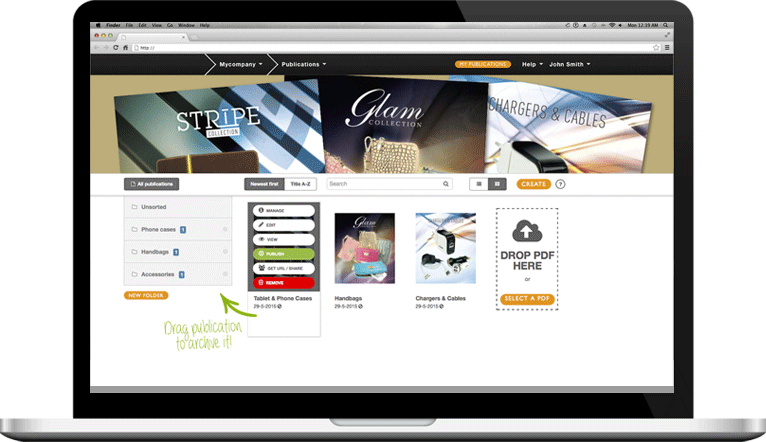
Publizr is trusted by many brands you know and love, with clients ranging from startups to large enterprises in all types of industries. Our clients have one common goal: convert flat Adobe PDFs into exciting interactive online school magazines that open immediately and excite their clients. Converting visitors into clients as a result.
With our user-friendly Adobe PDF flipbook editor you can easily create all kinds of digital publications: emagazines, online brochures and catalogs, digital flyers and pamplets, eBooks, digital manuals, journals and newspapers and more. See some examples and discover how easily you can create interactive online school magazines with the user-friendly flipbook editor!








With the user-friendly Publizr Adobe PDF flipbook editor you can create as many interactive online school magazines as you like. You can even publish eBooks for free! You can use your online publications for an unlimited period without additional bandwith or web host fees being charged. We use the best server networks so that your clientele all over the globe can view your publications as fast as possible.
Self creating interactive online school magazines is easy! Create a free account without the need to enter your credit card details. Next, convert your Adobe PDFs and create as many eBooks as you like and add them on your Facebook page. After your 14-day free trial period you can choose which premium or free plan is right for you.